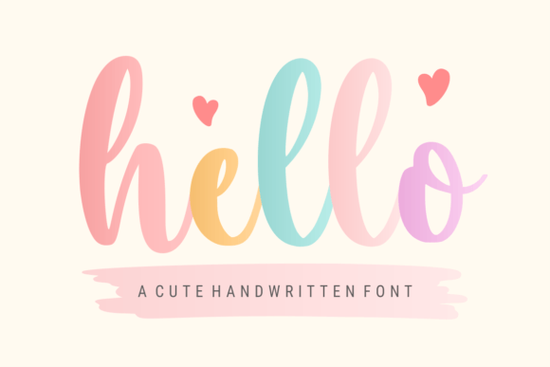
If you've been searching for a handwritten font that feels warm, inviting, and works across many different design projects, the Hello Font is worth a closer look. It's a delicate, stylish script with a cute personality that fits everything from wedding invitations to quote graphics for social media. Below, I'll walk through what makes it useful, who it's best for, and how to get the most out of it.
What Kinds of Projects Does the Hello Font Work Best For?
The short answer: a lot of them. Hello Font has a gentle, flowing style that doesn't feel too formal or too casual. That middle ground is surprisingly hard to find in handwritten fonts. Whether you're designing a birthday card, creating a pastel-themed greeting design, or laying out a holiday sticker sheet, the letterforms hold up well at different sizes.
Here's where it tends to fit naturally:
- Greeting cards – birthday, holiday, thank-you, or just-because
- Wedding themes – invitations, table numbers, signage, menus
- Quotes and social media posts – the soft curves make text feel approachable
- Stickers and labels – especially for print-on-demand shops
- Image overlays – adds personality without overwhelming the photo
- Christmas and seasonal designs – works with both playful and elegant layouts
Who Should Consider Using This Font?
Hello Font works well for a range of creators. If you run a small Etsy shop selling printable wall art or custom mugs, a font like this can save you time you won't need to hunt for a new typeface for every seasonal design. Wedding stationery designers will appreciate its handwritten script quality that still reads clearly in printed materials.
Crafters who use Cricut or Silhouette machines also tend to gravitate toward fonts like this. The letter connections are smooth enough for vinyl cutting, especially with a little spacing adjustment. Small business owners making branded packaging, thank-you cards, or social media content will find it fits a clean, friendly aesthetic without much effort.
How Does It Compare to Other Script Fonts on Creative Fabrica?
There are a lot of handwritten fonts available, so how does Hello Font stack up? It depends on the mood you're after. If you want something more playful and bold, a handmade duo with a playful feel might be a better fit for fun, casual designs. For something with a trendy, laid-back vibe, a hipster-inspired summer script could work better.
Hello Font leans more delicate and sweet. It's not trying to be edgy or dramatic. That simplicity is actually what makes it so versatile it blends into a design without competing with other visual elements. If your style leans toward soft, feminine, or minimalist, this one checks those boxes.
Can You Use It for Print-on-Demand Products?
Yes, and this is one of the strongest use cases. POD sellers need fonts that look good on physical products. Hello Font works nicely on:
- T-shirts and apparel – soft quotes, names, and short phrases
- Mugs and drinkware – readable single-line text
- Tote bags – standalone words or layered compositions
- Posters and wall art – especially nursery decor or inspirational themes
The licensing through Creative Fabrica covers commercial use with their subscription. That means you can use this font on products you sell without paying per-design fees. Always double-check the license terms for your specific plan, but for most creators, the coverage is straightforward and generous.
What Fonts Pair Well With a Delicate Handwritten Style?
One reliable approach is to pair a script font like this with a clean sans-serif for contrast. Use the handwritten font for the main word or headline, then add a simple sans-serif for supporting text. This keeps the design readable while still feeling personal and warm.
You could also combine it with another script for a layered look, though be careful not to use two scripts that are too similar in weight and flow. Contrast is key you want each font to have its own role in the composition.
Tips for Getting Clean Results With Handwritten Fonts
- Check letter spacing – script fonts often need kerning tweaks, especially for print output
- Test at the final size – what looks great on screen might feel too thin when printed small
- Use high-contrast backgrounds – delicate lettering needs breathing room to stay readable
- Export at high resolution – 300 DPI minimum for any print product
- Preview on a mockup – always check how the font looks on the actual product before listing it
Your Next Step
Ready to try this delicate handwritten option in your next project? Here's a quick checklist to get started:
- Download the font from Creative Fabrica and install it on your system
- Open your design tool Canva, Photoshop, Illustrator, or whatever you prefer
- Test it with your brand colors and a simple background
- Create one quick mockup before building an entire product line around it
- Review the font license against your Creative Fabrica subscription plan
Starting small lets you see how the font fits your style and audience before committing to a full collection. A single well-designed product is always better than ten rushed ones.
Explore Design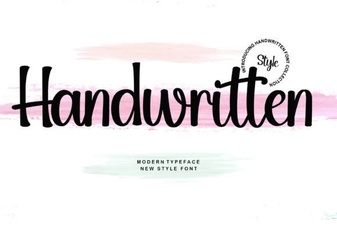 Free Handwritten Script Fonts for Personal and Commercial Use
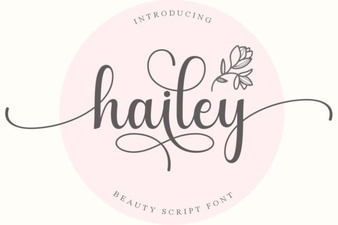 Hailey Font: Creative Typography for Modern Design
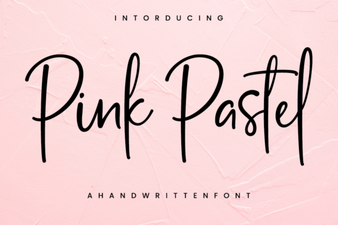 Charming Pink Pastel Font for Creative Projects
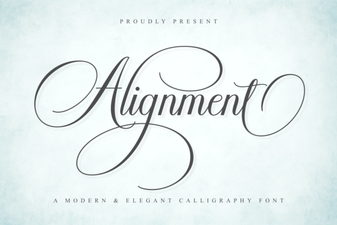 Harmonious Alignment Font: Precision in Every Glyph
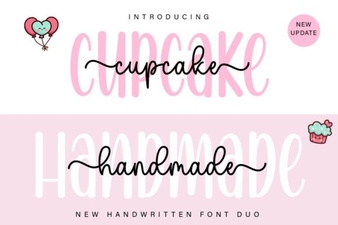 Cupcake Handmade Duo Script Font - Elegant Handwritten Typeface
 Summer Hipster Font - Trendy Script Font for Creative Designs